Cozyla: Mobile companion for sharing to smart home displays
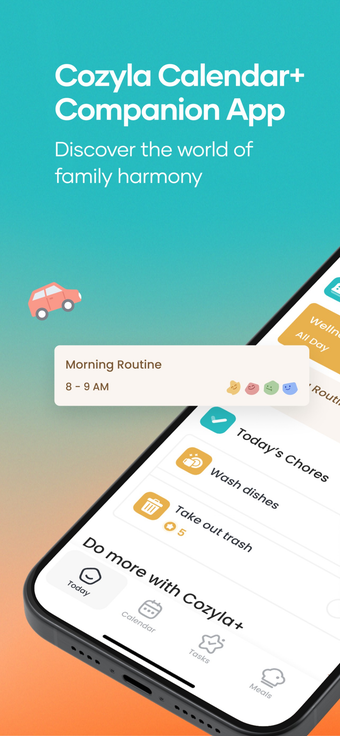
Cozyla, from Cozyla US CORP., is an iPhone companion app for managing Cozyla smart frames and calendar devices. It transfers photos and short video clips from mobile devices to dedicated home displays and offers remote adjustment of display settings and notifications. The app supports multi-user sharing, calendar synchronization, captions, and real-time alerts. Families who share memories across households and caregivers seeking straightforward remote display control are the primary audience.
Cozyla centralizes media and device controls for household displays
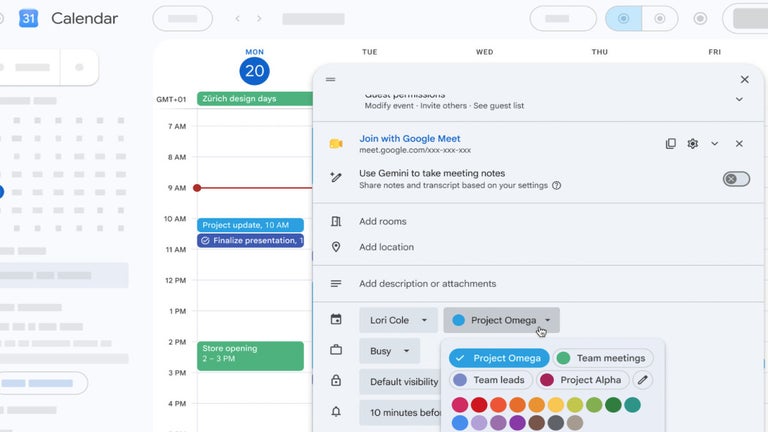
The app acts as a hub for moving photos and short video clips from phones to dedicated frames and calendar devices. Key actions include adding captions, syncing calendars, and inviting multiple contributors. It exposes remote controls for brightness and sleep schedules and surfaces device status updates, so a single account can manage several displays without switching between other vendor portals.
Photo/video transfer
Remote display settings
Shared albums
Network reliability influences content delivery and device notifications
Media transmission and real-time alerts depend on the framed hardware remaining online, a point noted by users who report better performance on stable Wi-Fi. Pairing uses an on-screen QR code or a manual device ID entered during setup, which reduces configuration errors for remote access. Multi-device management operates over the internet, so contributors can send content from any location after the initial setup.
Household contributors can operate the tool without deep technical knowledge
Inviting relatives and friends is handled within the app's sharing workflow, so households can build shared albums quickly. Captioning tools add context for older relatives, and the primary owner can switch between multiple Cozyla devices from one account. Casual users can perform typical tasks such as uploading media and adjusting display schedules without accessing advanced settings, though administrators should define contributor roles to avoid duplicate uploads.
Cozyla suits family households that want managed shared displays
As a utility for home displays, the app delivers steady, appliance-like operation when framed devices remain connected. Practical tip: schedule bulk uploads from the home network during off-peak hours to reduce transfer delays and let one household member act as curator to keep shared albums organized, and predictable behavior helps keep daily maintenance light.
Pros
Instant photo and short-video transfer to compatible frames
Remote control for brightness and sleep schedules
Multi-user sharing allows family contributions to one device
Calendar sync shows schedules and reminders on displays
Cons
Performance depends on the framed device remaining online
Requires initial pairing via QR code or manual device ID
Laws concerning the use of this software vary from country to country. We do not encourage or condone the use of this program if it is in violation of these laws. Softonic may receive a referral fee if you click or buy any of the products featured here.